
Choose a project
Enable a project once: all current and future issue types are available, without entering example issue keys.

Jira Cloud / Company-managed
Screen Self-Service for Jira lets existing project admins manage eligible fields themselves. Jira admins choose which projects are enabled and which changes need approval.
01From practice
Delegate suitable screen changes to existing project admins. Jira admins set the boundaries and retain approval of structural changes.
02Understand a change
Environment removed. Eligible fields can be added or removed.
Edit also supports eligible field placements.
View: reorder existing fields only. In V1, additions and removals are limited to Create and Edit.
Illustrative example. Field availability depends on the actual Jira configuration. This example changes no Jira data.
03Approval & execution
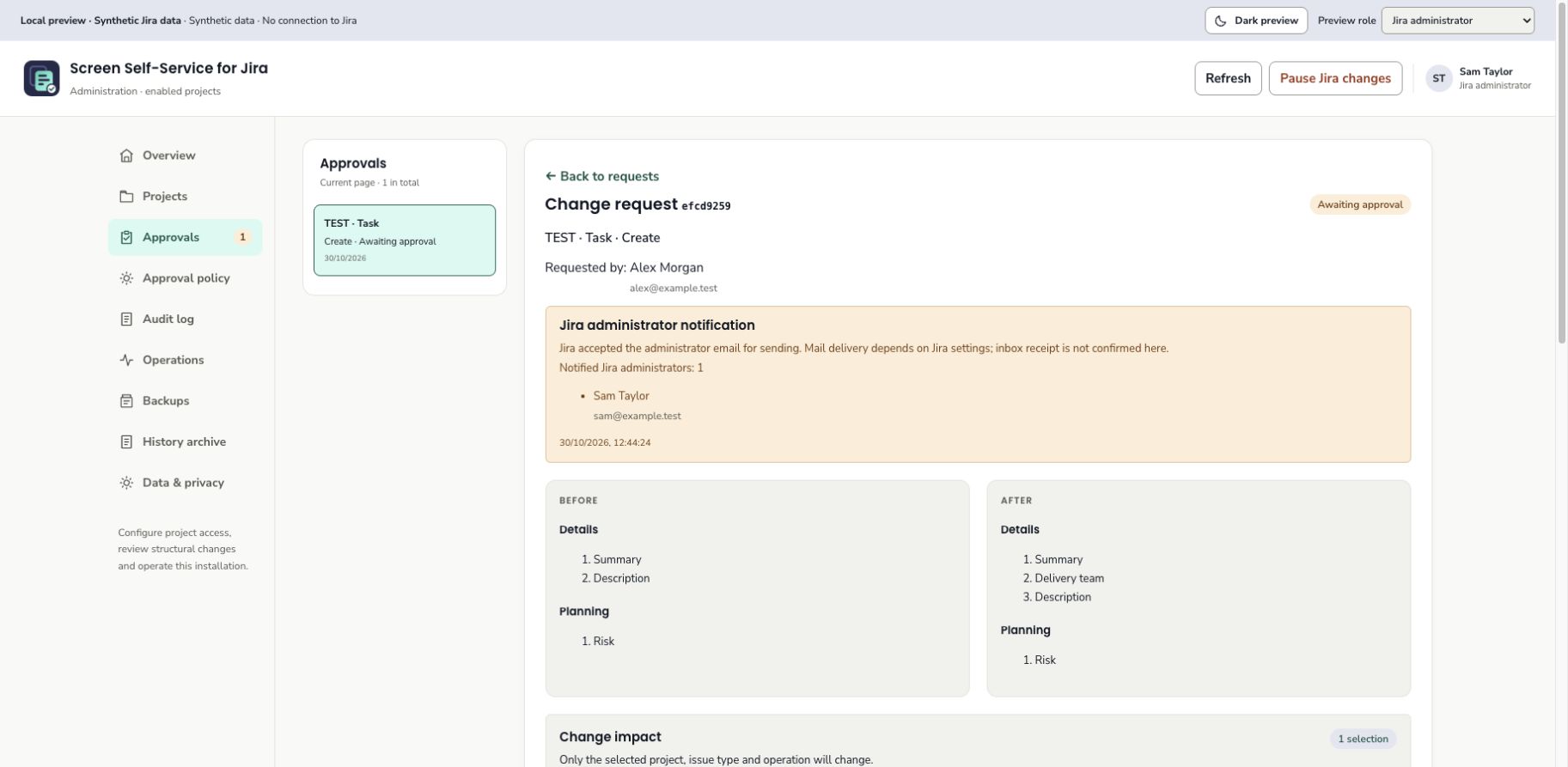
Emails notify admins about pending requests. Decisions happen in the admin area, which remains available when emails are paused.
04Features & boundaries
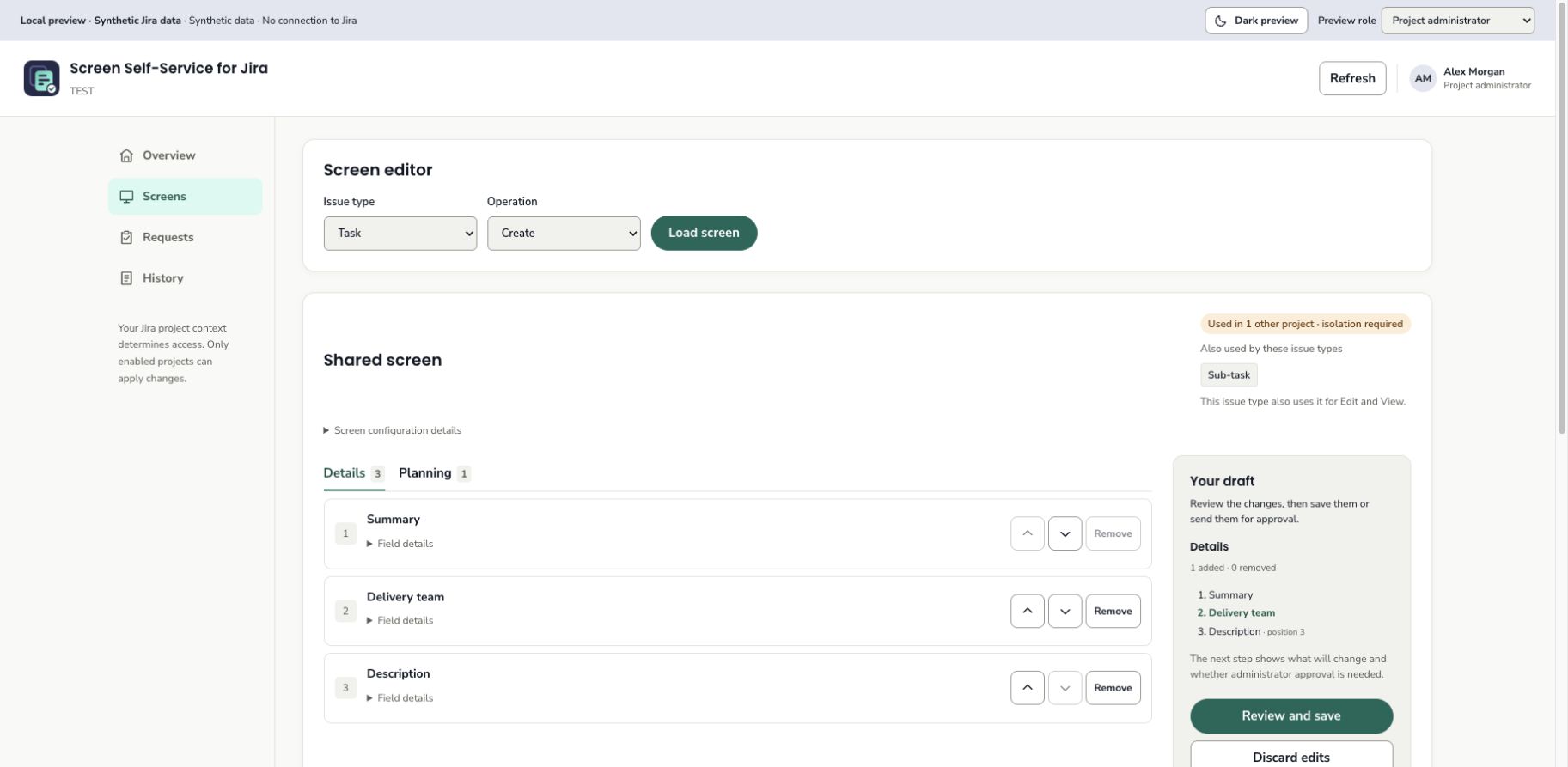
All current and future issue types are available to select. If other selections use the same screen, the app shows that affected scope before execution.
Enable a project once: all current and future issue types are available, without entering example issue keys.
Reorder existing Create, Edit and View fields on one tab. Add or remove eligible Create and Edit fields.
Compare before and after. New screens and screen schemes need approval from another Jira administrator.
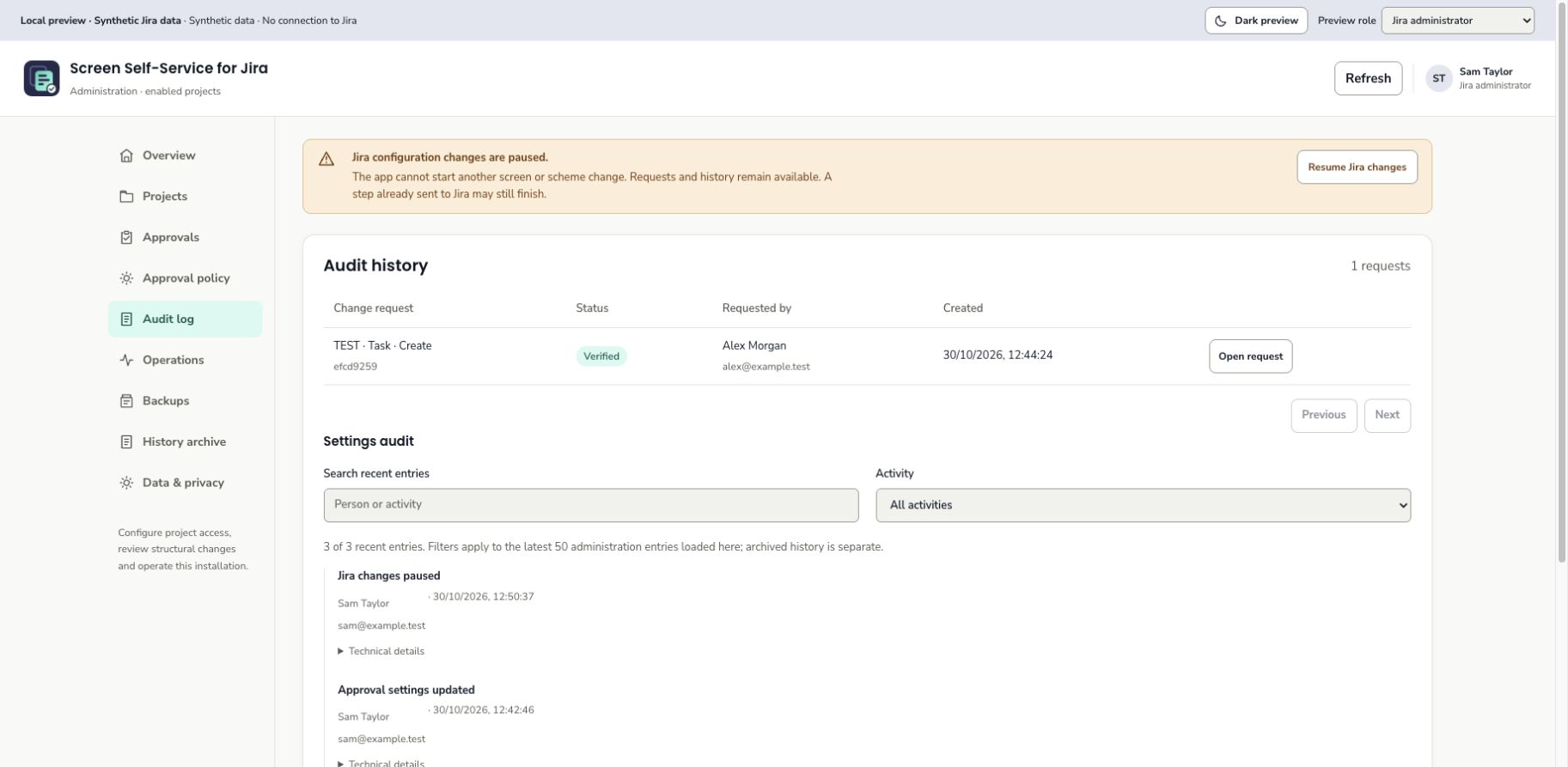
Current Jira permissions remain authoritative. Groups can further restrict existing project admins. Changes stay traceable, and Jira admins can pause new Jira change steps and approval emails separately.
For company-managed software and business projects in Jira Cloud. No View field additions, multi-tab editing, direct shared changes across projects, workflow editing or custom-field creation. Jira layouts can affect field visibility. An app-history backup does not restore Jira configuration.
05Inside the app
App screenshots with synthetic example data. Open an image to view it at full size.
06Guides & help
The existing app documents below are in English. Their approved text and revision identifiers are unchanged.
App support